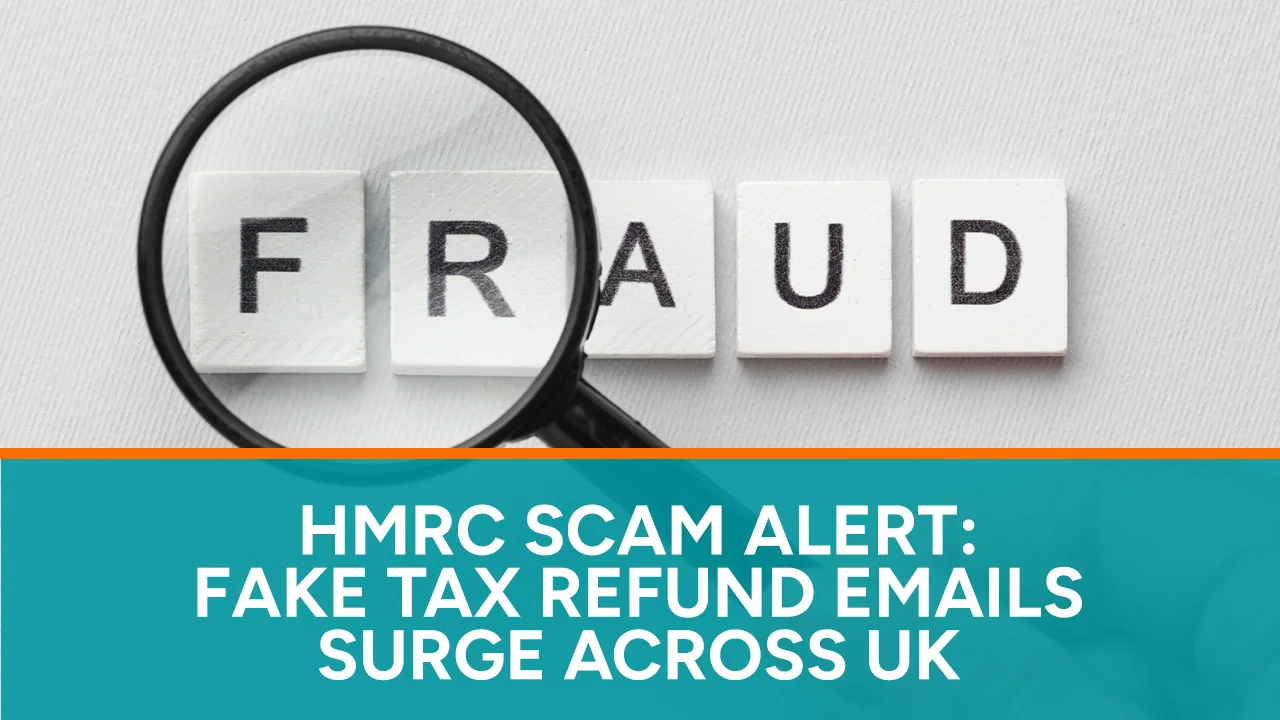
You receive an email claiming that HM Revenue & Customs owes you a tax refund. It might have the HMRC logo, the correct tax year, and promise a refund in days, but it stresses that you must act fast.
This urgency highlights the importance of the latest HMRC scam alert. HMRC has warned taxpayers about emails that say they are entitled to a Self Assessment refund for the 2024-2025 tax year. These emails often pressure people to provide personal and bank details.
At first glance, this email may seem positive. Genuine tax refunds do happen. However, clicking the wrong link could put your Government Gateway details, banking info, National Insurance number, or identity documents at risk.
All UK taxpayers should know how these scams operate, how real HMRC messages differ from fake ones, and what to do if something seems off.
Note: This article offers general information and does not replace specific tax, accounting, legal, or cybersecurity advice.
Why HMRC Has Issued a Fresh Scam Warning
HMRC recently warned about fake emails claiming taxpayers can get refunds for the 2024 to 2025 Self Assessment period. These scam emails pressure recipients by saying they must claim their refund before a tight deadline.
The scams lead recipients to a link or form asking for personal and financial details, like their name, address, date of birth, National Insurance number, debit card details, bank account info, or HMRC login details.
Although the messages may vary, their goal is the same: to create excitement or anxiety, pushing you to act quickly without verifying the message.
This tactic works well, especially if the message references a recent tax return. Self-employed individuals, company directors, landlords, consultants, or gig workers might expect communication from HMRC, making a fake email seem believable.
The warning highlights a larger issue. Between now and July 31, 2025, HMRC has received over 170,000 scam reports, including more than 47,000 related to fake tax refunds. Previous data also show many bogus refund messages during Self Assessment periods.
In short, HMRC tax refund scams are common and part of a widespread fraud problem affecting people across the UK.
Why a Fake Tax Refund Email Can Look Genuine
Modern phishing messages often look convincing. They may not have obvious spelling mistakes or strange logos. Scammers can mimic official branding, layouts, buttons, and language from real government messages.
They can use believable email addresses or display names. For example, the sender might appear as “HMRC Tax Refund” or “Government Gateway.” Just because a name looks official does not mean it’s real.
Scammers can also create fake websites that look like GOV.UK pages. These sites may use familiar colours, crowns, and official messages. They might even show fake progress bars or countdown timers.
However, the website address may have small differences. Instead of ending with a government domain, it could have extra words, unusual punctuation, misspellings, or different country codes.
Fraud becomes more convincing when scammers include relevant information. For example, a fake tax refund email might mention:
- Self Assessment
- PAYE
- a P800 tax calculation
- the 2024 to 2025 tax year
- a specific-looking refund amount
- a supposed Government Gateway notification
- an urgent refund expiry date
- a penalty for not responding
Some emails may even address you by name, but that doesn’t mean they are genuine. Names and email addresses can be found in data breaches or public sources.
So, focus on the request, not the visuals. Even a well-designed HMRC phishing email can be fake.
The Psychology Behind the HMRC Refund Scam
A successful scam often relies on emotion rather than just technology.
Tax-refund scams usually tap into hope, suggesting that unexpected money is available, especially when budgets are tight. The amount seems large enough to grab attention but small enough to feel real.
These scams create a sense of urgency. They might claim that the refund will expire soon, that your claim is delayed, or that your tax account will close if you don’t respond. This mix of promised reward and pressure makes people less likely to think twice about the scam email.
An HMRC scam asking for bank details may use phrases like:
- “secure refund portal”
- “identity verification required”
- “final reminder”
- “refund approved”
- “confirm your payment method”
- “complete your tax repayment request”
- “failure to respond may cancel your refund”
However, official-sounding language doesn’t mean the request is safe.
Scammers can also shift from excitement to fear. Instead of offering money, they might say you owe taxes, missed deadlines, or face legal trouble. Some calls even threaten arrest or penalties.
Whether the message offers money or threatens punishment, the aim is the same: to make you stop thinking clearly.
That’s why the best response is simple. Stop. Don’t click any links. Open a new browser window and check your tax account on GOV.UK or the official HMRC app.
How to Spot a Fake HMRC Tax Refund Email
People often wonder how to identify a fake HMRC tax refund email, especially since they can look real. No single sign confirms an email is fake, but there are several clues that should make you suspicious.
Look for artificial urgency.
A message might say you have only a few hours to claim your refund. HMRC recently warned about scam messages that push people to act quickly.
Don’t let an unexpected deadline rush your decision. Ignore countdowns, warning banners, or “final notice” alerts when deciding what to do next.
Check what information the message requests.
Be cautious when an email asks for:
- online banking credentials;
- complete debit or credit card details;
- your Government Gateway password;
- security codes sent to your phone;
- copies of identity documents;
- payment to release a refund;
- cryptocurrency or gift-card payments.
A real refund process shouldn’t ask you for sensitive information through an unexpected email link.
Inspect the Sender Carefully
Check the sender’s full email address, not just the display name. HMRC will only email you about rebates or personal information from addresses that end in hmrc.gov.uk. Always verify unexpected requests independently.
Hover Over Links Without Opening Them
On a computer, hover your cursor over a link to see where it leads. On a phone, don’t tap or hold the link if you’re unsure, as it might open accidentally. Be cautious of strange or misspelled addresses, but remember that fake links can look real, so it’s best not to click on them.
Watch for Unexpected Attachments or QR Codes
Fraudulent emails may include attachments labelled as tax calculations, forms, or invoices. Opening these could install malware or lead to phishing sites. If you get emails with QR codes, forward them to HMRC’s phishing team and delete them.
Notice Language That Feels Slightly Wrong
Keep an eye out for spelling and grammar mistakes, but don’t assume that polished emails are safe. Criminals can use AI and official wording to create convincing messages. The biggest red flag is an unexpected request for your personal information through a link.
Does HMRC Send Tax Refund Emails?
Does HMRC send tax refund emails? This question needs careful thought.
HMRC does use email and text messages for some communication. It provides lists of real campaigns and recent messages so taxpayers can check if a message is genuine. However, not all real messages will be on this list.
If you get an email mentioning HMRC, don’t click on any links to claim money. HMRC warns you to avoid opening links or replying to messages that ask for personal or financial information.
HMRC also will not inform you about a tax rebate or ask for personal details via text message. If you get a suspicious text, forward it to 60599, but standard messaging rates may apply.
It’s important to understand the difference between “HMRC emails people” and “HMRC never emails people.” Focus on what the message asks you to do. A real message might ask you to sign in on your own. A scam will likely try to collect your information or urge you to act quickly through an unverified link.
If you receive an email stating you are owed money, don’t open it. Instead, visit GOV.UK, use the official HMRC app, or contact HMRC using their official contact details.
How to Check Whether an HMRC Refund Is Genuine
Many people who get a refund scam message might have actually overpaid their taxes. Ignoring these messages without checking can leave them confused.
To see if an HMRC refund is real, don’t trust the email link. Instead, open a web browser and go to GOV.UK or use the official HMRC app from a trusted app store.
Once you securely sign in, look at your personal tax account, Self Assessment account, or recent HMRC messages. Your account should show details about your tax refund, like calculation, repayment status, or how to claim it.
For PAYE overpayments, a real P800 tax calculation will explain if you can claim online or if HMRC will send you a cheque. GOV.UK says eligible taxpayers can claim through their personal tax account or the HMRC app, which also gives expected payment times for valid refunds.
If you file Self Assessment, check the calculation from your return and your account statement. A valid refund should match the figures in your return, any payments made, deductions, and outstanding debts.
However, tax records can be complicated. A refund might be less than expected if it’s applied to another tax debt. Also, a refund could appear due to duplicate payments or adjustments from previous returns.
Good record-keeping is essential. Keeping accurate records helps you figure out if the refund amount makes sense. Businesses that struggle with organising invoices and expenses may benefit from professional bookkeeping services in London, especially if unclear records make it hard to evaluate suspicious messages.
Similarly, a good Self Assessment accountant in London can help business owners identify real tax movements and unexpected claims that don’t fit their cash-flow plans.
What to Do If You Receive an HMRC Scam Email
If you get an HMRC scam email, stay calm and follow these steps:
First, don’t click any links, open attachments, scan QR codes, or reply. Don’t use any contact details in the email because they may lead to criminals.
Second, take a screenshot if it’s safe. Keep the sender’s address, subject line, and time received. Don’t forward the email to others, as they might accidentally open it.
Third, check your HMRC account if the email mentions a refund, bill, penalty, or tax return. Use GOV.UK, the official app, or a trusted bookmark.
Finally, report the scam through the proper official channels.
Where to forward suspicious HMRC emails
If you receive a suspicious HMRC email, forward it to phishing@hmrc.gov.uk. HMRC recommends that you delete the email after forwarding it. This helps prevent you from accidentally clicking the link later.
How to report a fake HMRC email
The basic process for how to report a fake HMRC email is:
- Forward the suspicious message to phishing@hmrc.gov.uk.
- Avoid adding or sending sensitive personal information.
- Delete the original email.
- Empty your deleted-items folder when appropriate.
- Run a security scan if you downloaded anything.
- Change affected passwords if you entered details.
- Contact your bank if you disclosed financial information.
You can send suspicious emails to the National Cyber Security Centre at report@phishing.gov.uk. The NCSC advises you not to share personal information, reply to the email, download attachments, or click on unknown links.
How to Report Scam Texts, Calls and Social Accounts
The HMRC scam warning mainly talks about emails, but criminals use many ways to contact people. A fake refund email might come with a follow-up phone call. Scammers can also send texts, WhatsApp messages, or direct messages on social media.
Suspicious text messages
Forward a suspicious HMRC text to:
HMRC says that messages sent to this number might cost you based on your phone plan. They will not notify you about a tax rebate or ask for personal or payment information via text.
You can forward suspicious texts to 7726. This helps mobile providers check who sent them. GOV.UK says this is a free way to report suspicious texts.
Suspicious Phone Calls
If someone calls claiming to be from HMRC and asks for personal info, demands payment, or threatens legal action, hang up. Don’t press any buttons, send money, or share security codes. Report the call using the official HMRC scam-call reporting service on GOV.UK. Remember, even if the caller ID looks familiar, it might be fake.
WhatsApp and Other Applications
If you get suspicious messages on apps like WhatsApp, take a screenshot and email it to phishing@hmrc.gov.uk.
Fake Social Media Accounts
Scammers may create fake profiles using HMRC logos or names. They might respond to taxpayers asking about refunds or payments. HMRC does not use social media to offer tax rebates or ask for personal information. Report suspicious accounts to branddefence@hmrc.gov.uk.
What If You Already Clicked the Link?
Clicking a suspicious link doesn’t mean criminals have taken your money, but you should act quickly.
If a page opens and you didn’t enter any information, close it right away. Don’t download anything. Clear your browser data and run a security scan with trusted software.
If you did download a file, disconnect from sensitive workplace systems and seek technical help. Avoid using that device for online banking until you’re sure it’s safe.
If you entered any of the following, act urgently:
- Government Gateway user ID
- HMRC password
- One-time access code
- National Insurance number
- Bank account details
- Card information
- Online banking credentials
- Passport or driving licence information
Change any compromised passwords immediately. Create a strong, unique password, and change it everywhere you used the old one.
If you think someone accessed your HMRC account, report it to HMRC. Change your password if you can access your account. Be alert for signs like unexpected access codes, password changes, and unfamiliar tax records or payments.
Next, contact your bank using the number on the back of your card or in your banking app. Tell them what information you shared. Your bank may freeze cards, monitor transactions, or add extra security.
If money is missing, report it to Report Fraud in England, Wales, or Northern Ireland. In Scotland, contact Police Scotland by calling 101.
Finally, keep an eye on your credit records for unfamiliar accounts or applications. Stolen personal details may be misused later, even if there’s no immediate bank loss.
When a Scam Becomes an HMRC Account Problem
Phishing can lead to more than just banking risks. Criminals may steal your tax information to change tax returns, redirect payments, set up fake businesses, or make false claims.
You might notice a problem when HMRC contacts you about a tax return you didn’t file, a payment you didn’t ask for, or changes you didn’t make.
In more serious cases, HMRC might review your records because the information submitted under your name doesn’t match yours. This doesn’t mean they think you committed fraud, but you must respond carefully and provide proof.
Getting professional help is useful, especially if the issue relates to a tax enquiry. Clarkwell & Co.’s HMRC Investigation Service in London can assist taxpayers and businesses in understanding HMRC messages, organising records, and clearly presenting their case.
Don’t ignore official HMRC letters just because you think a scam caused the issue. Verify the letter and respond through the right channels.
HMRC has lists of authentic letters, emails, and calls. These can help you decide if the contact is legitimate, though they don’t cover every communication HMRC sends.
Keep records of everything related to the incident, like:
- Screenshots of the scam message
- Dates and times of contact
- Email addresses and phone numbers used
- Reports made to HMRC
- Bank reference numbers
- Password changes
- Unfamiliar transactions
- Official HMRC letters received later
- Conversations with your accountant
A clear record can help you explain the situation if HMRC, your bank, or the police investigate.
Why Self Assessment Taxpayers Are Attractive Targets
Self Assessment is a prime target for scammers. Millions of taxpayers deal with HMRC during filing deadlines, tax calculations, payments, and refunds.
Taxpayers often expect their figures to change. For example, freelancers might overpay and expect a refund. Subcontractors might get money back from Construction Industry Scheme deductions. Landlords can adjust expenses, and consultants might have tax withheld from other sources. Thus, an email offering a refund can seem normal.
HMRC has warned Self Assessment users about fake refund offers. In the year ending July 31, 2025, over 47,000 scam reports involved fake tax refund claims. Ahead of the January 2026 deadline, HMRC noted 4,800 scam reports in just five weeks.
Scammers time their attacks carefully. They often target people:
- after the tax year ends,
- before the January 31 Self Assessment deadline,
- around payment-on-account dates,
- when tax calculations are sent,
- during major HMRC announcements,
- when government support or refund schemes are in the news.
You don’t need to file a tax return to be targeted. Scammers send messages to many people, hoping some will find them relevant. Employees, pensioners, students, and even those who have never used Self Assessment can receive tax refund phishing messages.
Businesses Should Treat Scam Prevention as a Financial Control
Tax scams can target more than just individuals; small businesses are at higher risk. Multiple people handle invoices, payroll, tax emails, and online banking, which can lead to mistakes. For instance, an employee might receive a fake HMRC repayment email and forward it to the director. A bookkeeper might accidentally click on a harmful link. A business owner might share an access code with someone pretending to be from HMRC.
Businesses should treat phishing awareness as part of their financial controls. Here are some useful tips:
- Limit access to Government Gateway accounts.
- Use individual user access when possible.
- Enable multi-factor authentication.
- Never share access codes via phone or email.
- Keep a list of approved HMRC contact methods.
- Require a second person to approve unusual payments.
- Independently check refund claims.
- Keep tax records updated.
- Provide regular scam awareness training.
- Quickly remove access for former employees.
Accurate records make spotting fraudulent refund claims easier. A business with well-maintained accounts can better gauge if it has overpaid taxes. This is especially important for service businesses with frequent transactions or varying staffing costs. Specialised accountants in the UK can help cleaning companies keep reliable records and understand their tax situation.
Similarly, accountants for consultants and agencies can support professional service firms dealing with irregular income, subcontractor costs, VAT, payroll, or various payment platforms.
Even a well-organised business can fall for a scam, but strong records and approval processes can reduce the chance of a costly mistake from a single email.
How Families Can Protect Less Confident Taxpayers
Not everyone is comfortable using online tax services. Older people, young workers, first-time filers, and those who speak English as a second language may struggle with HMRC messages.
Scammers take advantage of this uncertainty. They use complicated language, mention penalties, or claim a refund needs “verification.”
Families can help by agreeing on a rule: no one should respond to unexpected tax messages without checking them first.
Encourage relatives to:
- Avoid clicking on links in refund emails.
- Show suspicious messages to someone they trust.
- Use the HMRC app or visit GOV.UK directly.
- Call their accountant using a known number.
- Never share access codes.
- Report suspicious messages.
- Contact their bank right away if they shared information.
Don’t embarrass someone if they almost fell for a scam. These messages look real, and shame can stop victims from getting help quickly.
Instead, focus on stopping any damage. A quick call to the bank, changing passwords, and reporting the scam may prevent a minor issue from becoming a big loss.
Taxpayers in London who want ongoing support can benefit from local professionals. Trusted Accountants in North London can help people and businesses understand real tax obligations and clarify unusual messages.
Those near Camden may prefer help from Professional Accountants in Camden, especially for issues related to Self Assessment, business taxes, bookkeeping, or existing HMRC concerns.
Common HMRC Scam Myths That Put People at Risk
Misinformation can put taxpayers at risk. So, let’s clear up some common myths.
Myth 1: “The email knows my name, so it must be genuine.”
Your name might come from a data breach or online profile. Just because an email is personalised doesn’t mean it’s real.
Myth 2: “The website has a padlock, so it is safe.”
A padlock means your connection is encrypted, but it doesn’t guarantee the website owner is trustworthy.
Myth 3: “The email contains the HMRC logo.”
Logos can be easily copied. Instead, check the request, the website address, and verify through official channels.
Myth 4: “HMRC would never email or text me.”
HMRC does use email and texts sometimes. Don’t assume all communications are fake. Always verify using official HMRC contacts.
Myth 5: “Only older people fall for phishing.”
People of all ages can be tricked by timely messages. This includes business owners, accountants, students, and professionals.
Myth 6: “I only entered my National Insurance number, so I am safe.”
Criminals can combine this information with other details. Take it seriously and watch for unusual activity.
Myth 7: “The refund amount looks realistic.”
Scammers often use believable amounts to trick you. Check the refund against your actual tax records.
Myth 8: “I will know immediately if my details are stolen.”
Criminals may wait weeks or months to use stolen information. Keep monitoring your accounts after an incident.
A 60-Second HMRC Email Safety Check
Before responding to any unexpected message, use this quick checklist.
Ask yourself:
- Was I expecting HMRC to contact me?
- Does the message offer a refund or threaten a penalty?
- Does it create an urgent deadline?
- Is it asking me to click a link?
- Does it request personal or banking information?
- Does the sender address look unusual?
- Does the link lead somewhere other than GOV.UK?
- Does the refund match my tax records?
- Can I verify the matter through my own HMRC account?
- Have I checked the list of genuine HMRC contacts?
If any answer concerns you, do not proceed through the message.
Instead:
- Close the email.
- Visit GOV.UK independently.
- Sign in securely.
- Check your tax account.
- Ask your accountant where necessary.
- Forward the email to phishing@hmrc.gov.uk.
- Delete it.
This simple pause can stop an HMRC email scam before it becomes identity theft or financial fraud.
Frequently Asked Questions About HMRC Refund Scams
Latest HMRC Tax Refund Scam Warning
The latest warning tells UK taxpayers about fake emails claiming they can get a Self Assessment refund for the 2024 to 2025 tax year. These emails push urgency and ask for personal and bank details.
How to Verify an HMRC Refund Message
Don’t trust the message. Visit GOV.UK or use the official HMRC app to check your tax account, Self Assessment statement, or real HMRC letters.
Will HMRC Ask for Bank Details by Email?
Be cautious with unexpected emails asking for bank or personal information. HMRC says do not click links in refund emails requesting personal or financial details.
Reporting a Suspicious HMRC Email
Forward it to phishing@hmrc.gov.uk and delete the email.
Reporting a Suspicious HMRC Text
Forward it to 60599. Your mobile provider may charge you.
What to Do If You Shared Bank Details
Contact your bank right away using a trusted number. Explain what happened, follow their security advice, and watch your account. Report stolen money to Report Fraud, or call Police Scotland at 101 if you’re in Scotland.
What If I Shared My Government Gateway Password?
Change it right away. If you see unusual activity or can’t access your account, report it to HMRC.
Can HMRC Refund Me Through My Personal Tax Account?
Eligible taxpayers may claim refunds through their personal tax account or HMRC app. Always access these directly, not through unexpected emails.
Can Scammers Fake an HMRC Phone Number?
Caller IDs can be faked. If you get an unexpected call, hang up and reach HMRC using a number from GOV.UK.
Should I Reply to Verify an Email’s Authenticity?
No. Replying confirms your email is active and keeps you connected to the sender. Check the issue separately.
Can My Accountant Check an HMRC Message for Me?
Yes. An accountant can help you understand the tax matter and assist with real HMRC communications. Avoid forwarding live malicious links. A safe option is to send a screenshot with sensitive details removed.
What Happens If a Criminal Changes My Tax Records?
Report it to HMRC right away. Keep evidence of the scam and check your online account for any unauthorised changes.
A Refund Should Never Override Caution
A tax refund can be good news, especially with high living and business costs. But no refund is worth risking your bank details or online security.
The latest alert from HMRC warns taxpayers about scams. Criminals often create a sense of urgency around ordinary financial events. A tax refund sounds credible, an official logo looks trustworthy, and a deadline pushes you to act quickly.
However, you are in control if you take a moment to pause.
Don’t click on links in unexpected messages or share personal information. Check your tax status directly on GOV.UK, the HMRC app, or with a trusted accountant.
If the message is a scam, report it. If the refund is real, you can still find it through the official channels.
Clarkwell & Co. helps people and businesses in London with bookkeeping, tax compliance, forecasting, and HMRC issues. If a suspicious message leads to an account problem or investigation, professional help can clarify the situation.
Remember this key rule:
Unexpected HMRC message + urgent deadline + request for personal info = stop and verify independently.